Introduction
In Linux, everything is a file and that includes how your system talks to the rest of the world. Behind every IP address, DNS query, and routing table is a plain text configuration file. However, if you are moving between different Linux distributions, you will quickly notice that not everyone handles networking the same way. What works on a Debian server will completely break on an AlmaLinux box, and Ubuntu introduces an entirely different abstraction layer altogether.
To efficiently manage enterprise infrastructure, you must understand both the global configuration files common to all Linux flavors and the distribution-specific files that govern individual interfaces. Here is exactly where those files live and how they operate across the three major OS families: Debian, Ubuntu, and the RHEL ecosystem (Alma Linux/Rocky Linux/CentOS).
Identity and DNS Across All Distros
These are the universal files that function the exact same way regardless of whether you are running Debian, Ubuntu, or AlmaLinux.
Key files to focus on:
- /etc/hosts (Local resolution and the critical 127.0.0.1 localhost mapping)
- Long before DNS servers existed, the internet relied on a static table mapping hostnames to IP addresses. In Linux, that lookup table is /etc/hosts. Even on modern connected networks, this file remains your system’s first line of defense for name resolution, as Linux will check this file before querying any external DNS server.
- /etc/resolv.conf (DNS nameservers, with a warning that modern systemd-resolved systems manage this dynamically).
- When your system needs to resolve a domain name (like google.com) to an IP address, it looks to /etc/resolv.conf to find out which Domain Name System (DNS) servers to ask.
- /etc/hostname (The system’s local identity)
- The /etc/hostname file is a straightforward, single-purpose text file that defines the local system’s unique network name (the hostname).
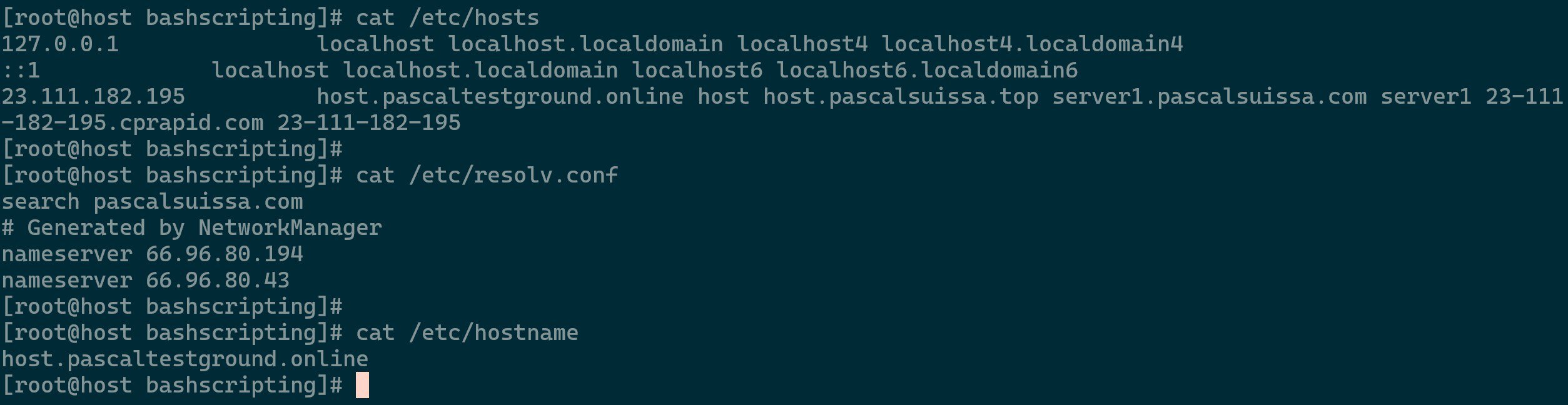
Files Content
- The /etc/hostname file is a straightforward, single-purpose text file that defines the local system’s unique network name (the hostname).
Mapping Interface Configurations
The following breakdown compares how the three major enterprise Linux operating systems handle network interface orchestration at a glance:
-
- Primary System Manager:
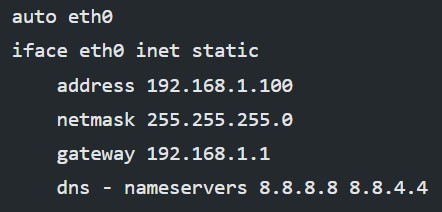
networking/NetworkManager - Interface Config Location:
/etc/network/interfaces - Format Style: Line-by-line configuration directives
- Global DNS Fallback:
/etc/resolv.conf
- Primary System Manager:
-
- Primary System Manager:
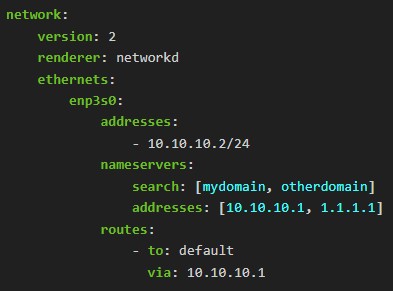
Netplan(viasystemd-networkd) - Interface Config Location:
/etc/netplan/*.yaml - Format Style: Structured YAML syntax
- Global DNS Fallback: Dynamic symlink via
systemd-resolved
- Primary System Manager:
-
RHEL Based Distros (Alma / Rocky / CentOS)
- Primary System Manager:
NetworkManager - Interface Config Location:
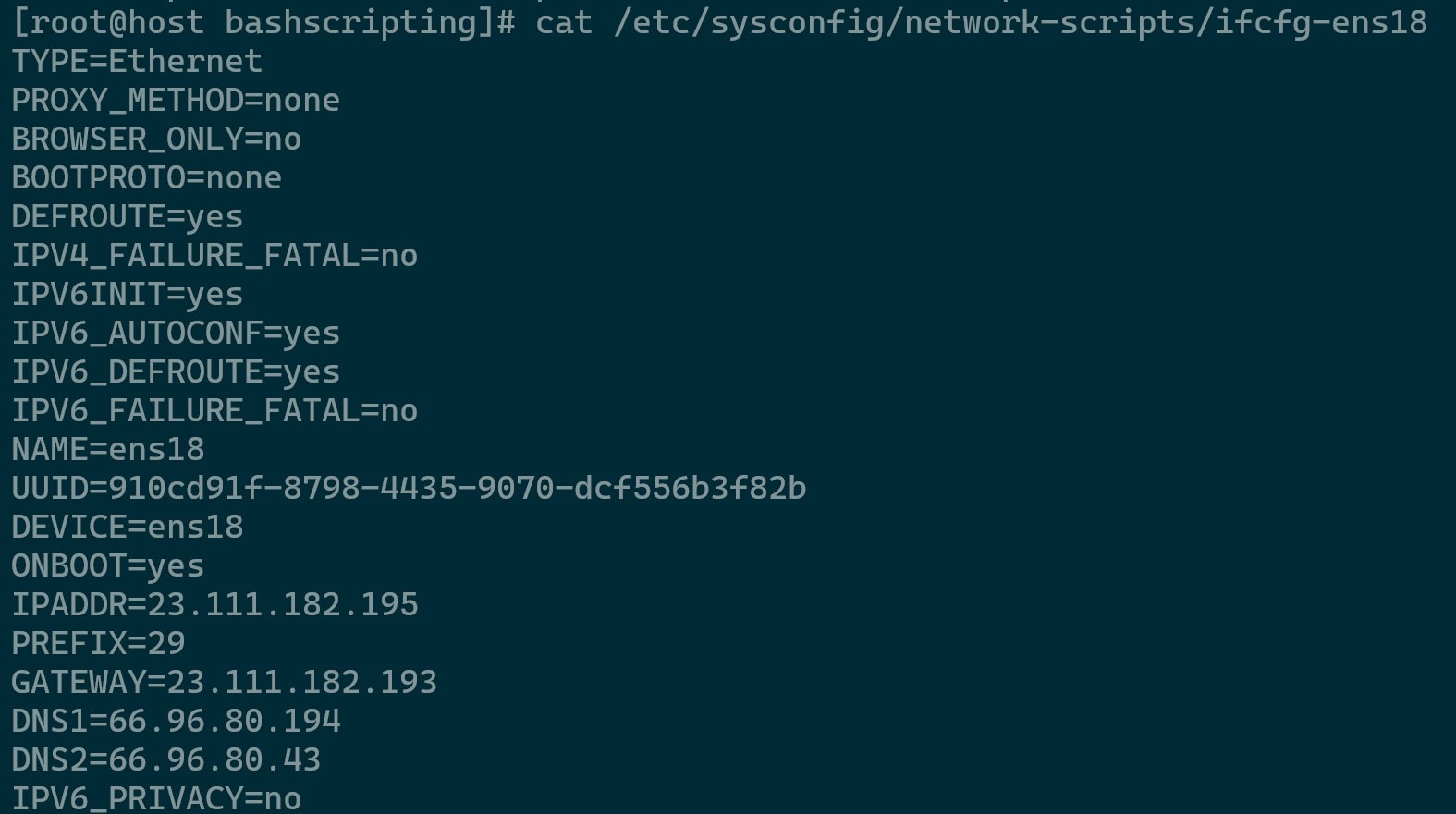
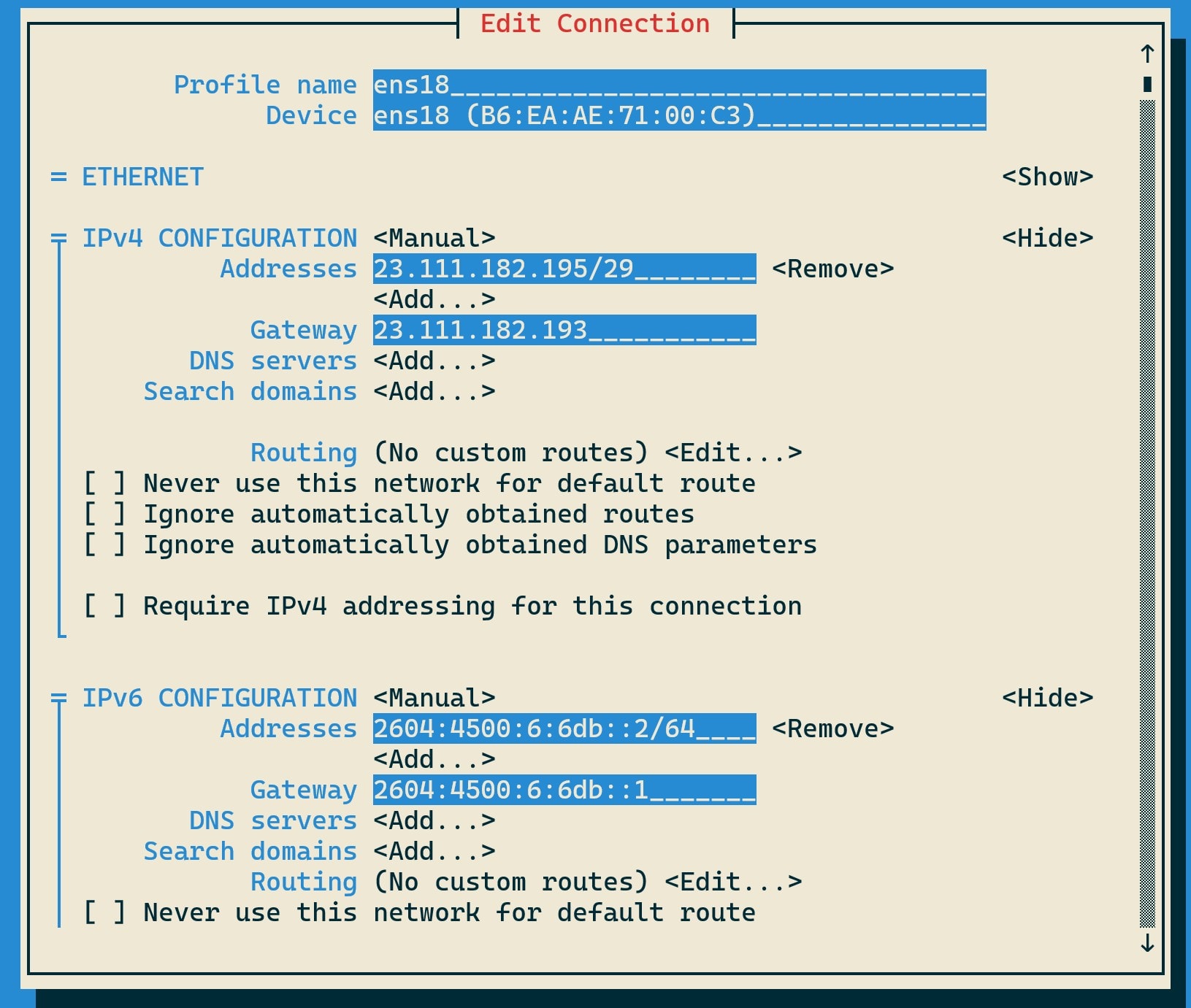
/etc/NetworkManager/system-connections/(Legacy:/etc/sysconfig/network-scripts/ifcfg-*) - Format Style: Standard
.inistyle key-value profiles - Global DNS Fallback: Dynamic file managed by NetworkManager
- Primary System Manager:
Network Configuration File Examples