

We’re excited to announce a new feature in the Hivelocity Storefront — customers can now upgrade their primary drives when configuring select servers for the Tampa 1 (TPA1) location. This update gives you more flexibility and control over your hardware, all while streamlining your ordering and deployment process.
Upgrade your primary drive for Tampa 1:
1. Select your server in the Storefront
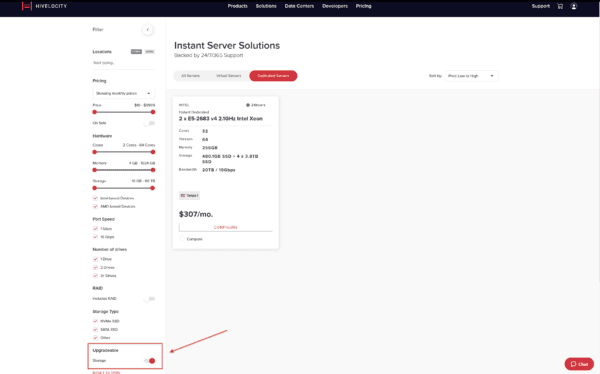
Start by enabling the “Upgradeable” filter in the Storefront. This will display all servers that are eligible for primary drive upgrades.
2. Choose your drive upgrade
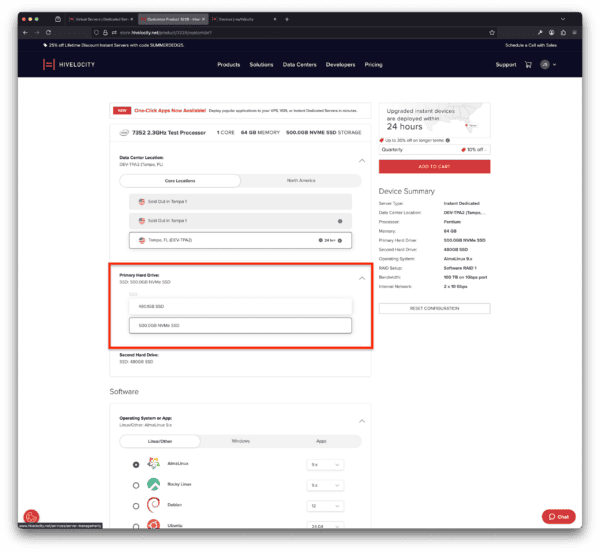
On the Store Customize page, you can select your desired primary drive upgrade option. Once chosen, the estimated delivery time will be updated to 24 business hours to allow for hardware modification before deployment.
3. Complete your checkout
After customizing your configuration, proceed through checkout as usual.
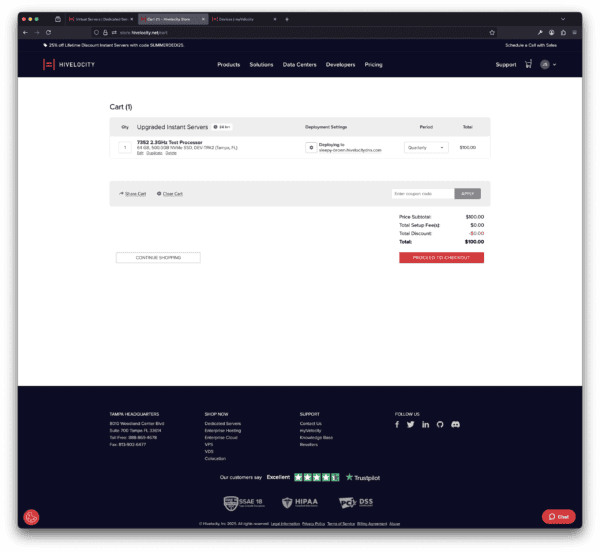
4. Next steps – Pending Upgrade
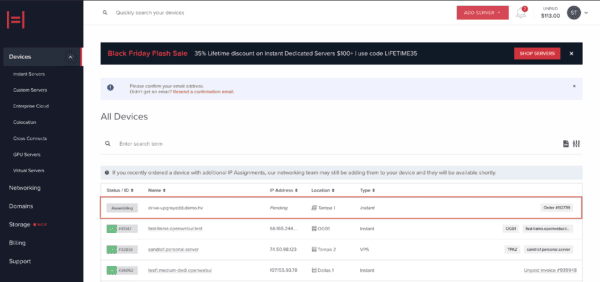
Once your transaction is complete, the Deployment Team will perform the physical drive upgrade—you’ll see it listed as pending until we’ve completed the task.
This new drive upgrade capability marks another step forward in providing Hivelocity customers with more customization options and faster delivery of the servers they need.
